Make your own Halloween SVG for Cricut from any picture
You can make a Halloween cut file from a picture you already have: a bat, a cat, a moon, a ghost, a pumpkin face. Makerfern traces the picture into an SVG sized for the cut, removes specks too small to weed, and marks anything too thin before you waste vinyl. This guide walks one picture through it.
Use pictures you made or are allowed to use. The examples on the Halloween projects page are public domain or CC0, and each one has its credit.
Pick a picture that traces cleanly
A cut file is shapes, so a flat picture with a clear outline works best: a silhouette, an icon, clipart. A photo turns into many small pieces, and every piece is a cut and a bit to weed. If all you have is a photo, see why a traced SVG has hundreds of tiny pieces before you cut it.
Step by step
- Open the SVG for Cricut page and drop the picture on it. It is drawn straight away, in your browser.
- Set the width you will cut. Do this first. The layers and the piece sizes are worked out for that width, because a speck that is fine on a 12 inch sign is a speck on a 3 inch decal.
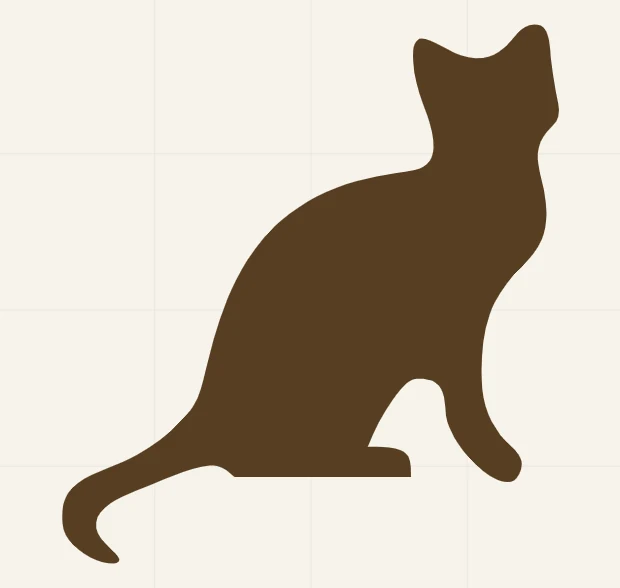
- Look at the cut file view. Parts narrower than 1 mm are outlined in red, and the report counts them as thin spots. A thin part is a place that will tear when you weed. On the cat above, at 4 inches wide, the report shows one thin spot, the tip of the tail, 0.16 mm at its thinnest. Cut larger, thicken it in the picture, or weed that part with care.
- Check the piece count. The cat is one piece. If the count for your picture is in the hundreds, it is not flat enough for vinyl.
- Download the SVG and upload it to your cutting software, the same way as any other SVG. If a file will not open, the SVG checker says why.
- Cut a small test first. Cut the thinnest part of the design on a scrap before you commit a full sheet.
Iron-on vinyl: mirror, but check your material
Ordinary carrier-backed iron-on vinyl is cut mirrored, with the shiny liner down, so the design reads the right way round once it is pressed onto the shirt. Printable iron-on is different, and mirroring it twice cancels out. Read the package, then read should you mirror Cricut iron-on before you cut.
Cutting a window or a wall design
A silhouette also works as a window or wall decoration. For anything bigger than your mat, the poster splitter divides a shape over several sheets of paper to tape together as a template.
More than one color
For a design with several colors, such as a pumpkin with a face in a second color, use the layered SVG maker. It builds the layers so they stack without gaps. The guide on stacked or flat layers says which to choose.
Before you cut
Cut a small test of the thinnest part on a scrap, and read the report once more at the width you chose. If you change the width, the report changes with it.
Try it on your own design
Free, in your browser, nothing uploaded.