New Makerfern for Chrome: right-click any picture on the web to make a cut file, coloring page or stencil from it. Add to Chrome, free

Thanksgiving projects you can make from a list of names

Free Thanksgiving table projects, each made in your browser with a tool that is already here: name place cards for every guest, coloring pages and puzzles for the kids’ table, and leaves for napkins, runners and pumpkins.

  • Free
  • No signup
  • No watermark
  • Made on your device
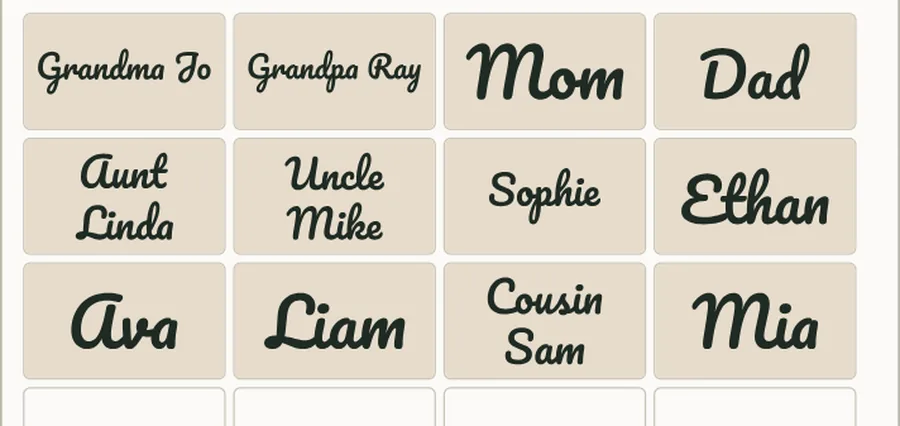
Twelve guest names, from Grandma Jo to Cousin Sam, each centred on a 3.5 by 2 inch place card on one laser bed
The batch name and jig maker’s preview of twelve names on 3.5 × 2 in place cards. Names typed for this example.

Name place cards for every seat at the table

Tool: Batch name and jig maker

Paste the guest list and each name is centred on its own place card, as big as it fits, with a jig so the blanks sit exactly where the names land. SVG or DXF, plus an order list of which name went where.

  • Choose Rectangle (place card, plate, tag) and type the size of your real blanks: wood, acrylic or card stock.
  • Long names such as Aunt Linda go on two lines when that makes them bigger, so every card reads from across the table.
  • Cut the jig from scrap first, drop the blanks in, and engrave the whole table in one run.
Open the batch name and jig maker

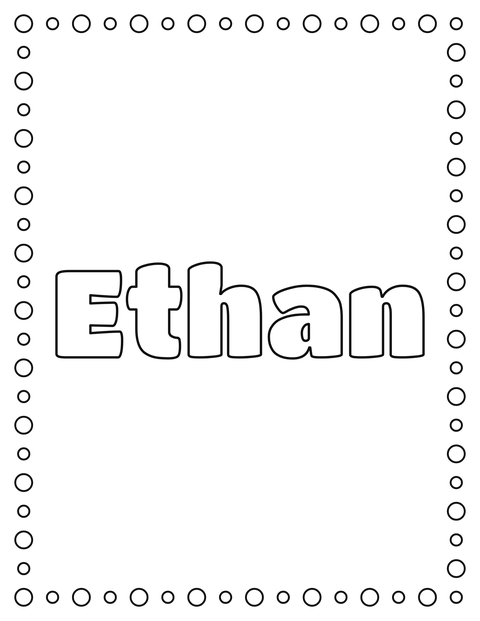
The name Ethan in big outlined letters inside a border of bubbles, ready to color
The name coloring page’s Letter page in Titan One with the bubbles border. Name typed for this example.

A name coloring page for each seat at the kids’ table

Tool: Name coloring page

Type a child’s name and get a printable page with the name in big outlined letters to color in while dinner cooks. Letter or A4, with a choice of fonts and borders.

  • Put one page at each child’s seat with crayons, so it doubles as their place card.
  • Pick Thick lines for small children; they are easier to stay inside.
  • With Pro, paste the whole list of names and get every page in one PDF.

Open the name coloring page

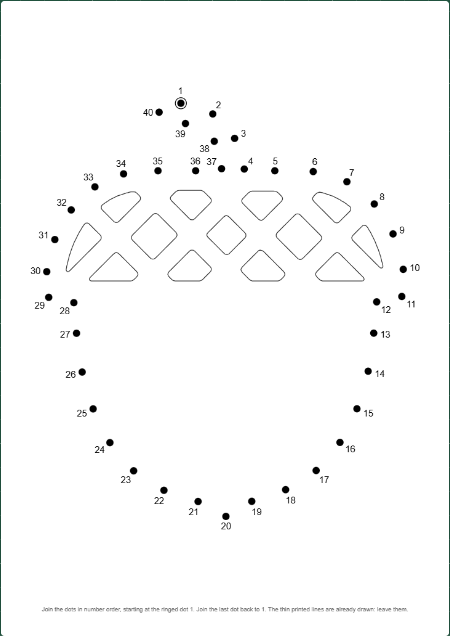
A printable dot-to-dot page with 40 numbered dots round an acorn, its cap pattern already drawn
The dot to dot maker’s Letter page: an acorn icon at Medium, 40 dots. Acorn icon by Matt Brooks, The Noun Project, CC0, via Wikimedia Commons.

An acorn dot-to-dot while the turkey cooks

Tool: Dot to dot maker

Drop in a drawing or an icon and get a numbered connect-the-dots page, with an answer page, as a PDF, a PNG or an SVG. Pick from 20 dots for little ones to 150 for older kids.

  • Simple shapes with one clear outline work best: an acorn, a pumpkin, a leaf or a pie.
  • Use Medium 40 for children of about 5 to 7, and Hard 80 for older ones.
  • Print the answer page too, so a grown-up can check without counting dots.

Open the dot to dot maker

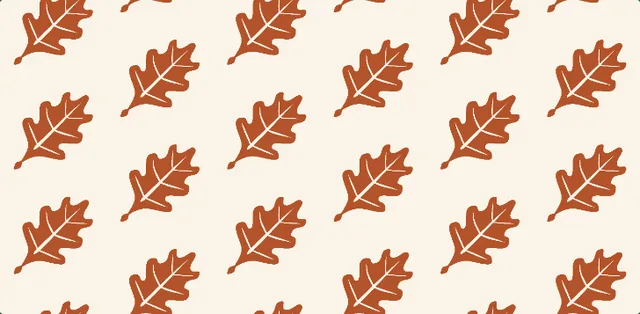
Rust-coloured oak leaves repeating in staggered rows on a cream background
The seamless pattern maker’s repeat of one oak leaf. Oak leaf icon by @ooosssay (Pinhead icons), CC0, via Wikimedia Commons, coloured rust for this example.

A falling-leaves pattern for napkins or a table runner

Tool: Seamless pattern maker

Drop in one leaf and get a pattern that repeats with no seams, to print on fabric for napkins and runners, on paper for place mats, or for sublimation. Download a 300 dpi sheet.

  • Try the half-drop or scatter repeat for leaves that look like they fell on their own.
  • Colour the leaf before you drop it in: rust, gold and deep red read as autumn from across a room.
  • Check the tiled preview at real size before you order fabric.

Open the seamless pattern maker

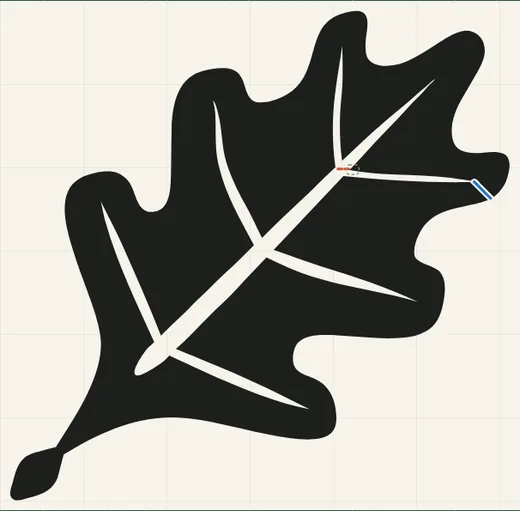
An oak leaf stencil with its veins cut as thin gaps and one bridge marked in blue
The stencil maker’s preview of an oak leaf at 6 inches, with its bridge marked in blue. Oak leaf icon by @ooosssay (Pinhead icons), CC0, via Wikimedia Commons.

An oak leaf stencil for a painted runner or a pumpkin

Tool: Stencil maker

Turn a leaf into a cuttable stencil SVG. Any piece that would fall out, like the middle of a vein, gets a short bridge so the stencil stays in one piece, and the preview shows it at your real cut size.

  • Cut it from stencil film or freezer paper and paint leaves down a plain runner or across kraft paper.
  • Tape it to a pumpkin and pounce paint through it, or trace it for carving.
  • Size it to the space first; the preview shows the real inches.

Open the stencil maker

Questions

Is it free, and does it need an account?

Every project here uses a free tool with no signup and no watermark on what you download.

Is my list of names or my picture uploaded?

No. These tools run in your browser, and the names and pictures stay on your device.

Which of these suit the kids’ table?

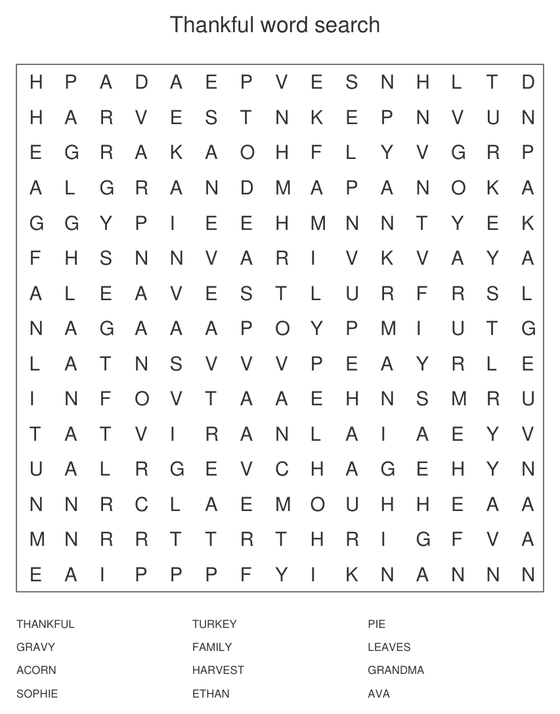
The name coloring page, the dot-to-dot and the word search: print one of each per child and set them at their seats.